
ChatGot AI: What Is It, How Does It Work, & Its Top Features!
Artificial intelligence is rapidly transforming the way you work, learn, and create. Now, they not only answer questions or generate entire documents, but AI tools are helping you guys accomplish tasks with greater ease and speed. One such tool gaining popularity is ChatGot AI, a powerful conversational assistant designed for users of all levels.
If you are new and curious about what ChatGot AI is, how it works, or whether it could be useful for you, this article breaks everything down in a simple way.
Let us dive in and get started.
What Is ChatGot AI & What Are Its Uses?
ChatGot AI is an AI chatbot platform that acts like a smart assistant you can talk to in plain language. Instead of requiring special commands or technical skills, you simply type what you want, and ChatGot AI responds with helpful information or outputs.
This makes the tool suitable for beginners, professionals, students, and anyone else who wants to save time and improve productivity.
Common Uses of ChatGot AI
ChatGot AI is designed to be versatile. Here are some of the most popular ways you can use it:
- Answering Questions: Ask general knowledge or specific questions, and get a clear answer quickly.
- Content Creation and Writing: Generate articles, essays, emails, captions, and other written text without struggle.
- Homework and Study Help: Get explanations of academic subjects like history, science, grammar, and more.
- Brainstorming Ideas: Ask for topics, ideas, outlines, or creative prompts for your work.
- Document Analysis: Upload or reference information and have ChatGot AI summarize it.
- Image and Presentation Creation: Generate AI images or presentation slides through text prompts.
- Coding Help
Get assistance with basic programming questions, code generation, or debugging tips.
In short, ChatGot AI acts like a digital assistant that simplifies tasks that would otherwise take much longer manually.
What Are the Top Features of ChatGot AI?
ChatGot AI offers a variety of features designed to make interacting with AI easy and productive. Let us explore some of the most useful ones.
1. Natural Chat Interface
The simplest feature is the chat box. You type questions or requests in everyday language. There is no need to learn commands or technical syntax.
2. Support for Multiple AI Models
ChatGot AI integrates multiple advanced AI models within a single platform. This means you get access to different types of intelligence depending on your task.
3. AI Writing Tools
ChatGot includes tools that help with grammar, style, sentence generation, slogans, rewriting text, and other writing tasks.
4. Image and Slide Generation
You can generate visuals and presentation slides directly from text descriptions. This is especially useful for creative tasks and professional presentations.
5. Custom AI Bots
ChatGot allows users to build their own custom AI bots tailored to specific functions, such as a bot focused only on travel suggestions or one specialized in resume writing.
6. Chat with PDF and Documents
Upload a document or PDF and ask ChatGot AI to summarize, explain, or extract information from it. This saves hours of manual reading.
7. Real-Time Web Access
In some versions, ChatGot AI can access live web information, enabling it to provide up-to-date answers rather than relying only on pre-trained data.
8. Multi-Language Support
If you need help in other languages, ChatGot can support translations and multilingual output in many scenarios.
These features combine to make ChatGot AI useful for a broad range of everyday tasks.
How Does ChatGot AI Work?
ChatGot AI may seem magical at first, but its process is straightforward when broken down into steps. Here is how it works behind the scenes:
Step 1: You Enter a Request
Everything begins when you type a question or task in the chat box. For example, you might write:
Explain the benefits of healthy eating.
or
Create a simple business plan outline.
This section is completely dependent on what you want to know or what you think before your mind.
Step 2: Understanding the Input
ChatGot AI uses advanced language understanding technology to read and make sense of your words, including context, intent, and the task you want it to perform.
This is similar to how humans understand questions when you speak or type to them.
Step 3: Processing the Request
Once the AI understands what you want, it begins generating a response. It does this by drawing on patterns and information from its training data. It does not simply search the internet like a search engine, but uses trained models to produce original answers.
Step 4: Creating the Output
ChatGot AI crafts a response that fits your request. If you ask for text, it organizes sentences. If you ask for images or slides, it generates those using AI generators. If it is a summary, it picks the most important points from the source material.
Step 5: Displaying the Result
The output appears in the chat window quickly. You can read it, copy it, or ask follow-up questions to refine or customize the response further.
Step 6: Iteration Through Conversation
Often, users go back and forth with the AI. For example, you might ask for a first version and then request changes like:
Make it simpler.
or
Add examples.
ChatGot AI adjusts its responses based on your new input.
This simple yet powerful workflow is what makes ChatGot AI easy to use for beginners.
ChatGot Plans and Features Comparison
To help you decide which version of ChatGot AI might be right for you, here is a straightforward comparison of the available subscription plans and their features.
Overview of Plans
ChatGot AI currently offers three main plans designed to serve different user needs: Free, Pro, and Max.
| Feature | Free Plan | Pro Plan | Max Plan |
| Price | $0 / month | $9.90 / month | $15.90 / month |
| Standard Queries | 10 per day | 6,000 per month | 8,000 per month |
| Advanced Queries | Limited | 400 per month | 500 per month |
| Standard Images | Basic | 300 | 500 |
| AI Slide Credits | Basic | 50 | 100 |
| Advanced Images | Limited | 50 | 100 |
| Chat with PDF | Yes | Yes | Yes |
| AI Bot Creation | Yes | Yes | Yes |
| Real-Time Web Access | Basic | Yes | Yes |
| No Daily Caps | No | Yes | Yes |
| Faster Response | Standard | 2X faster | 2X faster |
Free Plan is ideal if you want to test ChatGot AI without paying anything. It allows a limited number of interactions and basic features.
Pro Plan is suited for regular users who need more queries, images, and features without daily limits.
Max Plan is best for heavy users or professionals who need large quota amounts and higher image and slide credits.
Key Differences Explained
- Limits on Usage: The Free plan limits how much you can interact with the AI. The Pro and Max plans offer hundreds to thousands of queries, which means you can use ChatGot AI more often.
- Image and Slide Generation: Pro and Max include many more image and slide credits, making them more valuable for creators.
- Advanced Features and Speed: Paid plans include advanced features such as real-time web access, faster response times, no caps during busy periods, and broader access to powerful tools.
Which Plan Is Right for You?
- Free Plan: Start here if you are a beginner or want to explore ChatGot AI before committing.
- Pro Plan: Choose this if you use the tool frequently and want more freedom and advanced feature access.
- Max Plan: This is best for users who depend on ChatGot AI for business, research, or heavy creative work.
Example of Use of ChatGot AI
To help you imagine how ChatGot AI works in real life, I have tested it personally and am going to share the process of how I asked my question to ChatGot and what it delivered to me.
Example Scenario: I assumed that I’am interested in writing essays as a student
Imagine as a student, I need to write an essay about climate change, but does not know where to start.
- The first sentence I typed:
Give me a 150-word introduction on climate change.
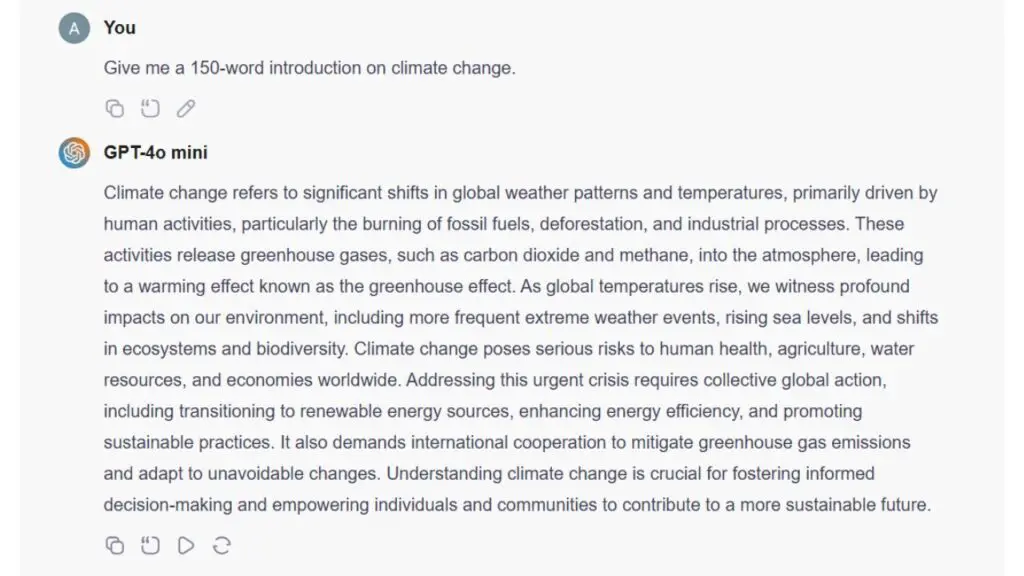
- ChatGot AI responds:
It generates a clear, structured introduction that could serve as the opening paragraph.
- Again, I asked:
Also, give three main points I should cover in the essay.
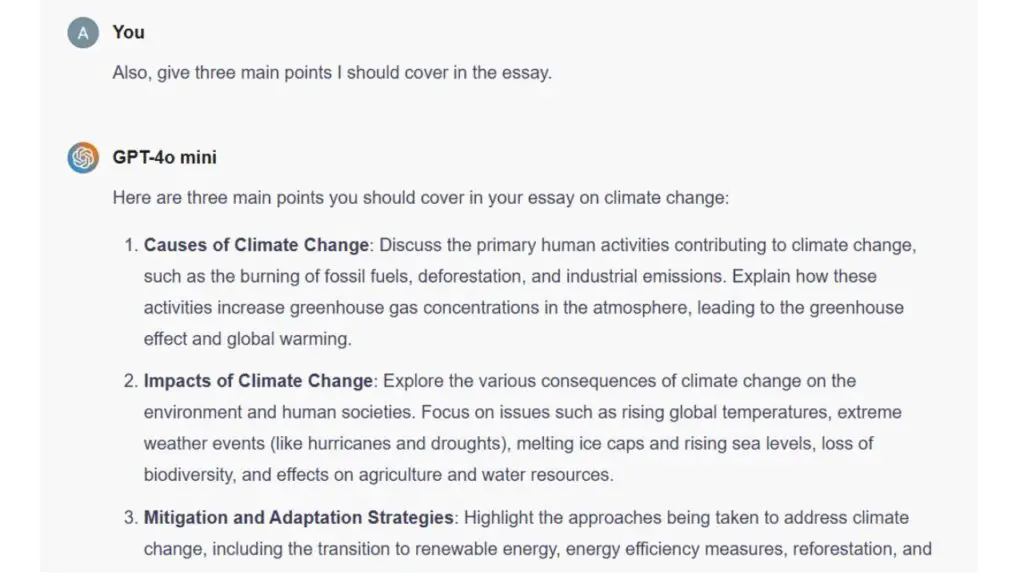
- ChatGot AI lists key ideas like causes, effects, and solutions.
- After this, I said:
Write a conclusion summarizing everything.
Within minutes, ChatGot AI has written a complete, organized, and readable Essay on the topic “Climate Change.”
Now, if I wish to add something else, I just edit my question and add the extra lines of questions, and hurray, within a few seconds or a minute, I will get the updated result.
FAQs
Is ChatGot AI free to use?
Yes. There is a free plan that lets you try ChatGot AI with some limitations.
Can ChatGot AI write creative content?
Yes. You can use it to generate stories, blog posts, captions, and many types of text.
Is ChatGot AI suitable for students?
Yes. It can help explain topics, summarize documents, and assist with writing tasks.
Can I use images and slide generation on the free plan?
Basic image and slide creation may be available, but full access is provided in paid plans.
Does ChatGot AI remember past conversations?
It can maintain context during a session, making it easier to follow up on questions.
Can I upgrade or downgrade my plan at any time?
Yes. Plan changes can usually be done through the app’s subscription settings.
Conclusion
ChatGot AI is a user-friendly and powerful AI assistant that helps people of all skill levels work more efficiently and effectively. It combines conversational ease with advanced features like writing support, image and slide creation, custom bots, document analysis, and more. With flexible plans ranging from free to higher usage tiers, there is a version of ChatGot AI suited for casual learners, frequent users, and professionals alike.
If you are new to AI tools and want a simple but capable assistant, ChatGot AI is a great place to start. Give it a try, explore its features, and see how it can save time and improve your productivity.