
1337x Proxy Sites and Mirrors (Working December 2026)
1337x is a well-known torrent indexing website that has attracted users looking for movies, television shows, music, games, software, and other downloadable content. However, accessing the website isn’t always straightforward. Depending on your location, internet service provider, or network restrictions, you may find that the website doesn’t open, displays an error, or becomes temporarily unavailable.
This is why people frequently search for 1337x proxy sites and mirror websites. These terms generally refer to alternative websites or intermediary services that provide access to content associated with the original platform. However, not every website claiming to be an official 1337x mirror is trustworthy. Some may contain misleading advertisements, malicious redirects, fake download buttons, or potentially harmful files.
There are also several questions that beginners often have. Is 1337x safe? Why does it sometimes stop working? What’s the difference between a proxy and a mirror? Can torrent downloads contain malware? Does using a VPN make downloading copyrighted content legal?
In this guide, we’ll answer these questions in simple language. We’ll explain how 1337x works, discuss common accessibility problems, explore security and privacy concerns, and introduce legitimate alternatives for downloading software, books, and other digital resources.
What Is 1337x?
1337x is a torrent indexing website that organizes links to files shared through peer-to-peer (P2P) networks. Rather than functioning like a conventional file-hosting service, it provides listings and information that help users discover torrent content.
The platform is commonly associated with different categories of digital content, including movies, television shows, music, games, applications, documentaries, and other files.
To understand how it works, it’s important to distinguish between a torrent indexing website and a traditional download website.
A traditional download website may store files on its own servers and allow visitors to download them directly. A torrent index, on the other hand, generally provides information or links that connect users with other participants sharing particular files through a peer-to-peer network.
The availability, authenticity, and legality of the content can vary considerably.
How Does 1337x Work?
1337x organizes torrent listings into categories and provides information associated with individual entries.
A typical listing may contain a file name, file size, upload information, and details about people sharing the content.
When someone opens a torrent or magnet link using a compatible BitTorrent client, the client attempts to locate other peers sharing the requested content.
The file is then transferred in smaller pieces rather than necessarily being downloaded from a single central server.
This decentralized approach is one reason peer-to-peer file sharing became popular.
However, the technology itself doesn’t guarantee that a file is genuine, safe, or legally distributed.
What Type of Content Is Available on 1337x?
The website has historically included several content categories.
| Category | Description |
| Movies | Movie-related torrent listings |
| Television | TV shows and episodes |
| Games | Computer and gaming-related files |
| Music | Music and audio content |
| Applications | Software-related listings |
| Documentaries | Educational and documentary content |
| Other | Miscellaneous digital files |
Remember that the presence of a listing doesn’t mean the uploader has permission to distribute the material.
Does 1337x Host Files Directly?
Generally, torrent indexing websites provide information about shared content rather than storing every complete file themselves.
The actual transfer takes place between participating devices through a peer-to-peer network.
This distinction is important because removing a listing from an indexing website doesn’t necessarily remove every copy of the corresponding file from the wider network.
What Are 1337x Proxy and Mirror Sites?
When the original 1337x website becomes inaccessible, users may encounter websites described as 1337x proxies or mirrors.
Although these terms are often used interchangeably, they describe different technical concepts.
What Is a 1337x Proxy?
A proxy server acts as an intermediary between a user’s device and another website.
Instead of communicating directly with the destination website, the user’s browser sends a request through the proxy. The proxy then forwards that request and returns the response.
In the context of 1337x, an unofficial proxy may attempt to provide access to content associated with the original website.
However, a third-party proxy isn’t automatically operated, approved, or maintained by the original website’s owners.
Its reliability and security depend on whoever operates it.
What Is a 1337x Mirror Website?
A mirror website is generally a separate website that reproduces some or all of the content, structure, or functionality of another website.
For example, a mirror may display similar categories, search pages, and torrent listings.
However, not every website using the 1337x name is a genuine mirror. Some may simply copy its appearance to attract visitors.
Proxy vs. Mirror: What’s the Difference?
| Feature | Proxy Website | Mirror Website |
| Main purpose | Acts as an intermediary | Replicates website content |
| Technical role | Forwards requests | Hosts a separate copy |
| Content | Depends on proxy configuration | Depends on mirror updates |
| Ownership | May be independent | May be independent |
| Reliability | Varies | Varies |
| Security | Depends on operator | Depends on operator |
Important: A similar website design or matching logo doesn’t prove that a proxy or mirror is legitimate. Always treat unofficial websites cautiously.
1337x Proxy Sites and Mirrors (Working in December 2026)
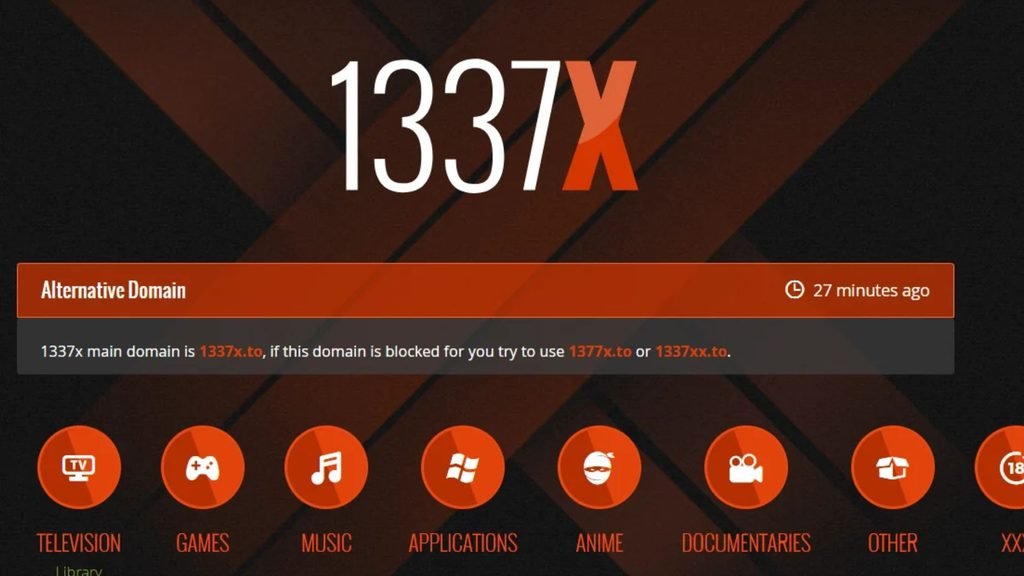
We regularly review and update this list of 1337x proxy sites to help readers find currently accessible options. Our team checks the listed proxies every week and removes entries that are no longer working. We also test their availability across different regions, although access may vary depending on your country, internet service provider, or local restrictions.
1337x Proxy Sites
- https://www.1337x.tw
- https://1337x.st
- https://www.1377x.is NEW
- https://x1337x.eu
- https://x1337x.ws
- https://1337x.proxyninja.org
- https://1337x.torrentsbay.org
- https://1337x.hashhackers.com
- https://1337x.to/
- https://1337x.unblockninja.st
- https://www.1337xxx.to NEW
- https://1337x.pro
- https://x1337x.cc
1337x Mirror Sites
- https://www.1337xx.to
- https://1337xto.to
- https://www.1337xxx.to
- https://www.1377x.is
- https://x1337x.eu
Why Is 1337x Not Working?
One of the most common reasons people search for 1337x proxy sites is that the original website doesn’t load properly.
There isn’t always a single explanation for this problem. Sometimes the website is temporarily unavailable, while in other situations, access may be restricted by an internet service provider, network administrator, or regional authority.
Here are some common reasons why 1337x might not open.
ISP Restrictions
Internet service providers (ISPs) may restrict access to certain websites following legal or regulatory requirements.
Some torrent-indexing websites have faced copyright-related blocking orders in different countries. The United States Trade Representative’s 2025 Notorious Markets List, published in 2026, identifies 1337x and reports blocking actions in several jurisdictions.
If your ISP restricts access to a particular domain, you might encounter a connection error or a page indicating that the website is unavailable.
Government or Regional Restrictions
Some countries have legal frameworks that allow authorities or courts to restrict access to websites associated with copyright infringement.
These restrictions may differ by country and can change over time.
A website that is accessible in one region may be unavailable in another. Always respect applicable local laws and network restrictions.
Website Server Downtime
Like any other website, 1337x may experience temporary server problems.
High traffic, technical maintenance, hosting issues, or infrastructure failures can prevent visitors from accessing its pages.
If the problem is temporary, the website may become available again after the underlying issue is resolved.
DNS Resolution Problems
DNS stands for Domain Name System. It translates human-readable website addresses into IP addresses that computers use to communicate.
If your device or DNS resolver cannot find the correct address, your browser may display errors such as:
- DNS_PROBE_FINISHED_NXDOMAIN
- DNS_PROBE_FINISHED_NO_INTERNET
- Server IP address could not be found
These errors don’t necessarily mean the website has permanently shut down.
Browser-Related Problems
Sometimes the issue is related to your browser rather than the website itself.
Corrupted cache files, outdated browser versions, problematic extensions, or incorrect browser settings may interfere with page loading.
Try opening another trusted website to determine whether the problem affects your entire internet connection or just one destination.
Security Software Blocking Access
Antivirus applications and browser security features may block websites that have suspicious behavior or a poor security reputation.
Don’t automatically disable these protections just because a website isn’t loading.
A security warning may indicate a genuine risk, so investigate it before proceeding.
Is 1337x Safe to Use?
The safety of 1337x and websites associated with it depends on several factors, including the website you visit, the content you access, the files you download, and the security of your device.
A torrent listing doesn’t guarantee that the associated file is legitimate or free from malware.
Similarly, an unofficial proxy or mirror may be operated by someone completely unrelated to the original website.
Here are some important risks to understand.
Malware-Infected Files
One of the biggest risks associated with downloading files from unverified sources is malware.
A file may appear to be a movie, software package, or game but contain malicious code.
For example, a file advertised as a free application might actually be an executable program designed to install unwanted software.
Some malware can:
- Steal personal information.
- Record keystrokes.
- Monitor browsing activity.
- Encrypt personal files.
- Install additional malicious applications.
- Provide unauthorized access to a computer.
Never assume that a file is safe simply because it has many downloads or positive comments.
Fake Download Buttons
Unofficial websites sometimes display advertisements that resemble legitimate download controls.
Clicking these buttons may open unrelated websites, redirect you to suspicious pages, or initiate unwanted downloads.
Be especially careful when a page displays multiple download buttons, unexpected pop-ups, or requests to install additional software.
Malicious Advertisements
Some advertising networks may distribute misleading advertisements or redirect visitors to potentially harmful websites.
These advertisements can appear even when the main website itself isn’t deliberately distributing malware.
Avoid interacting with advertisements that claim your computer is infected or ask you to download an unknown security application.
Phishing Websites
A fake website may imitate the design of 1337x to make visitors believe they’re using the original platform.
It may display a login form, request personal information, or encourage users to download suspicious applications.
Never enter your primary email password, banking information, or other sensitive credentials on an unverified website.
Privacy Risks
A third-party proxy operator may be able to observe certain information passing through its service.
Depending on its configuration, it may record browsing requests, IP addresses, timestamps, or other connection information.
HTTPS can protect information between your browser and the website, but it doesn’t make the proxy operator automatically trustworthy.
For these reasons, avoid using unknown proxy services for sensitive browsing.
How to Identify Fake 1337x Proxy and Mirror Websites
Not every website displaying the 1337x name is genuine.
Some third-party websites copy the original design, while others use similar domain names to attract visitors.
Identifying these websites is important because a fake mirror may expose your device to malicious advertisements, phishing attempts, or unsafe downloads.
Check the Domain Name Carefully
Look closely at the website address before interacting with it.
Fake websites sometimes use additional characters, different domain extensions, or slightly modified spellings.
For example, a domain that looks almost identical to a familiar website may belong to an unrelated operator.
Don’t assume that a domain is official just because it contains the words “1337x.”
Look for Unexpected Redirects
If a website repeatedly redirects you to unrelated pages, close the tab.
Unexpected redirects can indicate aggressive advertising, compromised website content, or potentially malicious activity.
Avoid Unnecessary Registration
Be cautious if a website claiming to be a public torrent index suddenly requires your personal details, phone number, or payment information.
Never reuse passwords from your primary email or other important accounts on unfamiliar websites.
Watch Out for Fake CAPTCHA Pages
Some malicious websites display fake CAPTCHA verification screens.
Instead of simply verifying that you’re human, these pages may ask you to:
- Copy and execute commands.
- Install browser extensions.
- Allow suspicious notifications.
- Download unknown applications.
A legitimate verification process should never require you to run an unfamiliar command on your computer.
Check Browser Security Warnings
Modern browsers include security features that identify potentially dangerous websites.
If Chrome, Edge, or Firefox displays a phishing or malware warning, don’t ignore it.
Leave the website and investigate the issue rather than attempting to bypass the warning.
Don’t Trust HTTPS Alone
A website using HTTPS has an encrypted connection, but this doesn’t prove that the website is operated by the original platform.
Scam websites can also obtain HTTPS certificates.
Always evaluate the website’s identity and behavior instead of relying on the padlock symbol alone.
What Should You Do If 1337x Is Unavailable?
If you’re unable to access the website, first determine whether the issue is related to your device, internet connection, or the destination itself.
Here are some basic troubleshooting steps.
Step 1: Check Your Internet Connection
Open another trusted website in your browser.
If other websites aren’t loading either, the issue may be related to your internet connection.
Restart your router if necessary and check whether your device is connected to the correct network.
Step 2: Restart Your Browser
Close your browser completely and open it again.
Sometimes temporary browser issues can prevent websites from loading correctly.
You can also try opening a trusted website in a different browser to see whether the problem is browser-specific.
Step 3: Clear Browser Cache and Cookies
Corrupted or outdated browser data may cause certain websites to behave unexpectedly.
In Google Chrome, open:
Settings > Privacy and security > Delete browsing data
Select the appropriate time range and clear cached images and files.
Clearing cookies may sign you out of websites, so consider that before proceeding.
Step 4: Check DNS Errors
If your browser displays a DNS-related error, verify that your device can access other websites.
You can also use Windows network troubleshooting tools to diagnose connectivity problems.
For example, open Command Prompt and enter:
ipconfig /flushdns
Press Enter to clear the local DNS resolver cache.
This may resolve certain local DNS caching issues, but it won’t remove an ISP restriction or restore a website that is offline.
Step 5: Review Browser and Antivirus Warnings
Check whether your browser or security software has blocked the destination.
If a security product identifies a website as suspicious, don’t disable protection simply to access it.
Review the warning and follow the security application’s recommendations.
Step 6: Check for Website Downtime
A website may be temporarily unavailable because of maintenance, server issues, or infrastructure problems.
You can consult reputable website-status monitoring services to determine whether a broader outage has been reported.
Remember that a status checker reporting a website as online doesn’t establish that the website is authentic or safe.
Best Legal Alternatives to 1337x
If you’re looking for movies, books, music, applications, games, or other digital resources, there are several legitimate platforms worth exploring.
Unlike unverified torrent-indexing websites, the following services provide access to specific categories of content through established distribution or licensing arrangements.
1. Internet Archive
Internet Archive is a digital library containing books, historical documents, audio recordings, videos, software, and archived web pages.
Visitors can explore public-domain and other materials made available under applicable permissions.
Best for: Historical content, public-domain materials, research, and digital archives.
2. Project Gutenberg
Project Gutenberg offers thousands of free ebooks, primarily works that are in the public domain under US copyright law.
You can read books online or download them in supported formats.
Best for: Classic literature, novels, educational reading, and historical books.
3. Ubuntu
Ubuntu is a popular Linux operating system that can be downloaded directly from its official website.
It is useful for desktop computers, developers, students, and people exploring open-source software.
Best for: Operating systems, Linux learning, and open-source computing.
4. F-Droid
F-Droid is a repository for free and open-source Android applications.
It allows users to explore applications, review their available information, and download compatible software.
Best for: Open-source Android applications and utilities.
5. SourceForge
SourceForge provides access to open-source software projects and development resources.
Users can discover applications for Windows, Linux, and other platforms.
Best for: Open-source applications, utilities, and developer projects.
6. Vimeo
Vimeo provides a platform for watching and sharing videos, including creative, educational, and independent productions.
Availability and downloading options depend on the creator’s settings and applicable permissions.
Best for: Independent videos, documentaries, and creative content.
Important: Always review the licensing conditions associated with individual downloads. A platform offering free access doesn’t necessarily mean every item is free to redistribute or use commercially.
Understanding Torrent Files and Magnet Links
To understand why torrent-indexing websites such as 1337x are popular, it’s helpful to learn the basics of peer-to-peer file sharing.
Two terms you’ll frequently encounter are torrent files and magnet links.
What Is a Torrent File?
A torrent file is a small metadata file that contains information required by a compatible BitTorrent client to locate and download shared content.
It doesn’t normally contain the complete movie, application, or other file being shared.
Instead, it provides information that helps the client identify the content and connect with other participants.
What Is a Magnet Link?
A magnet link is a type of link that identifies shared content using information such as a cryptographic content identifier.
Instead of downloading a separate torrent metadata file first, a compatible client can use the magnet link to locate the relevant information through the peer-to-peer network.
What Is a BitTorrent Client?
A BitTorrent client is an application that manages file transfers through the BitTorrent protocol.
It communicates with other peers, downloads available pieces, and may share downloaded pieces with other participants.
What Are Seeders and Leechers?
These are two commonly used terms in torrent technology.
Seeders: Users who have the complete file and make it available to other participants.
Leechers: A commonly used term for users who are downloading a file. Depending on the context, they may also upload pieces they have already received.
Generally, a greater number of available seeders can improve the availability and potential download speed of a shared file.
What Is Peer-to-Peer (P2P) Sharing?
Peer-to-peer sharing is a method of transferring data directly between participating devices rather than relying entirely on one central server.
The BitTorrent protocol divides content into smaller pieces that can be exchanged between peers.
This distributed approach can make large file transfers more efficient.
Torrent File vs. Magnet Link
| Feature | Torrent File | Magnet Link |
| Format | Small metadata file | Special type of link |
| Storage | Saved as a file | Can be copied as text |
| Initial metadata | Included in the file | Retrieved by the client |
| Compatibility | Requires a compatible client | Requires a compatible client |
| Main purpose | Identifies shared content | Identifies shared content |
For a more detailed explanation of the technology, BitTorrent provides a beginner-friendly introduction to torrents and peer-to-peer transfers.
BitTorrent
How to Stay Safe When Downloading Files Through BitTorrent
Peer-to-peer file sharing is a legitimate technology, but the files distributed through it aren’t automatically safe.
If you download software, documents, or other files from an unfamiliar source, you should take a few precautions before opening them.
Download Files Only From Authorized Sources
Whenever possible, obtain files from the original developer, publisher, or an authorized distribution platform.
For example, if you’re downloading a Linux distribution, visit the operating system’s official website rather than relying on an unknown third-party download page.
This reduces the risk of downloading modified or malicious files.
Verify File Checksums
Some software developers publish checksums such as SHA-256 hashes alongside their downloads.
A checksum is a unique value calculated from a file’s contents.
After downloading a file, you can calculate its checksum and compare it with the value published by the developer.
If the values don’t match, the file may have been modified or corrupted.
On Windows, you can calculate a SHA-256 hash using PowerShell:
Get-FileHash “C:\Downloads\example.zip” -Algorithm SHA256
Replace the example path with the actual location of your downloaded file.
Scan Files With Microsoft Defender
Windows includes Microsoft Defender Antivirus, which can scan downloaded files for known threats.
To scan a file manually:
Step 1: Open File Explorer.
Step 2: Navigate to the folder containing the downloaded file.
Step 3: Right-click the file.
Step 4: Select Scan with Microsoft Defender or the available scanning option in Windows Security.
Step 5: Wait for the scan to finish and review the results.
If a threat is detected, follow the recommended security action.
Avoid Unknown Executable Files
Be especially careful with files ending in extensions such as:
- .exe
- .msi
- .bat
- .cmd
- .scr
- .ps1
These file types can execute commands or install software.
Only run them when you trust the source and understand what the program does.
Keep Windows and Applications Updated
Software updates often include security fixes that protect against known vulnerabilities.
Keep your operating system, browser, antivirus software, and other frequently used applications updated.
Don’t Disable Antivirus Protection
Some suspicious download pages may tell you to temporarily disable antivirus protection before installing a program.
Treat this as a warning sign.
Don’t disable your security software just to run an unverified file.
Does Using a VPN Make Torrenting Legal?
No. Using a VPN doesn’t automatically make torrenting legal.
A Virtual Private Network (VPN) creates an encrypted connection between your device and a VPN server. Depending on the service and configuration, it can help protect traffic from observation by certain parties on your local network.
However, a VPN doesn’t change the copyright status of the files you’re downloading or sharing.
What Is a VPN?
A VPN is a service that routes your internet traffic through a remote server.
Instead of websites seeing your regular public IP address, they generally see the IP address of the VPN server.
VPNs are commonly used for:
- Protecting traffic on untrusted networks.
- Reducing exposure of browsing activity to local network operators.
- Connecting securely to organizational networks.
- Accessing company resources remotely.
Can a VPN Prevent Malware?
No.
A VPN is not a replacement for antivirus software.
It generally doesn’t verify whether a downloaded application is safe or whether a torrent contains malicious code.
You still need reliable security software and safe downloading practices.
Does a VPN Guarantee Complete Anonymity?
No.
Websites, applications, account providers, and other services may still collect information that identifies or tracks users.
VPN providers may also retain certain connection records depending on their policies and technical infrastructure.
Read the provider’s privacy policy carefully before using its service.
Does a VPN Make Copyrighted Downloads Legal?
No.
Downloading or distributing copyrighted content without permission may violate copyright laws, regardless of whether you’re using a VPN.
The important distinction is between protecting your internet connection and having legal permission to access or distribute particular content.
Is Torrenting Legal?
Torrenting itself is a file-sharing technology. Its legality depends primarily on what you’re sharing, whether you have permission, and the laws applicable to your location.
For example, downloading an open-source Linux distribution through an authorized torrent is generally a legitimate use of peer-to-peer technology.
However, downloading or distributing copyrighted movies, software, games, or music without permission may constitute copyright infringement.
Is Downloading Copyrighted Content Legal?
It depends on the applicable copyright law and the permissions granted by the copyright holder.
Some copyrighted materials are available for free through official distribution channels.
For example, a software developer may permit users to download and redistribute a particular application without charge.
Other materials may only be available through paid subscriptions or authorized purchases.
What Is Public-Domain Content?
Public-domain content generally refers to works that are not protected by copyright restrictions or whose copyright protection has expired.
However, copyright duration and public-domain rules vary between jurisdictions.
Users should verify the status of a particular work before downloading or redistributing it.
What Are Creative Commons Licenses?
Creative Commons licenses allow copyright holders to grant specific permissions for using their work.
Depending on the license, users may be allowed to:
- Share the material.
- Distribute copies.
- Modify the original work.
- Use the material for commercial purposes.
Some licenses require attribution, while others restrict commercial use or the distribution of modified versions.
Always review the exact license conditions.
Common 1337x Problems and Their Solutions
Apart from website accessibility, visitors may experience other technical problems when dealing with torrent websites or peer-to-peer applications.
Here are some common issues and what they mean.
1337x Website Is Not Opening
Possible causes: ISP restrictions, DNS problems, server downtime, or browser-related issues.
What to do: Check your internet connection, review browser errors, clear temporary browser data, and verify whether the destination is experiencing downtime.
Don’t assume that every inaccessible website needs a proxy.
Website Keeps Redirecting to Another Page
Possible causes: Aggressive advertising, suspicious scripts, or an untrustworthy third-party website.
What to do: Close the page, avoid clicking additional links, and review your browser’s notification permissions and installed extensions.
If you downloaded something unexpectedly, scan it before opening it.
Magnet Link Is Not Opening
Possible causes: No compatible BitTorrent client is installed, or the magnet-link protocol isn’t associated with the correct application.
What to do: If you’re using a legitimate torrent file, check whether a compatible client is installed and whether your operating system has an appropriate application association.
Torrent Download Is Stuck
Possible causes: No available seeders, an inactive peer network, connection problems, or unavailable content.
What to do: Check the availability of the file through its authorized source. If it’s a legitimate distribution, verify that the publisher still provides the content.
Antivirus Is Blocking a Download
Possible causes: The file contains malware, has a suspicious reputation, or triggers a security detection.
What to do: Review the detection details and verify the file with its original publisher. Don’t automatically restore quarantined files or disable antivirus protection.
Browser Shows a Security Warning
Possible causes: An expired certificate, an untrusted website, phishing indicators, or suspected malicious content.
What to do: Avoid proceeding through the warning. Check the website’s identity and use a trusted source instead.
Downloaded Software Is Not Installing
Possible causes: Incompatible software, corrupted installation files, missing dependencies, or a malicious installer.
What to do: Download the software again from the developer’s official website and check its system requirements and digital signature.
FAQs
What Is 1337x Used For?
1337x is a torrent indexing website that organizes listings and links associated with peer-to-peer file sharing. It has historically included movies, TV shows, music, games, applications, and other digital content.
Is 1337x Safe to Use?
You shouldn’t automatically assume that 1337x or any unofficial proxy and mirror is safe. Websites may contain misleading advertisements, malicious redirects, or links to infected files. Always verify the source and scan downloaded files.
Why Is 1337x Not Working?
1337x may be unavailable because of ISP restrictions, regional blocking, DNS problems, server downtime, or browser-related issues. The exact cause depends on your network and location.
What Is the Difference Between 1337x Proxy and Mirror Sites?
A proxy acts as an intermediary between your browser and another website. A mirror is a separate website that reproduces some or all of another website’s content. Both may be operated by third parties.
Are 1337x Proxy Websites Official?
Not necessarily. A website using the 1337x name or copying its design isn’t automatically operated or approved by the original website’s administrators.
Can 1337x Mirror Sites Contain Malware?
Yes. Unofficial mirrors may contain malicious advertisements, phishing pages, suspicious downloads, and harmful redirects. Always exercise caution when visiting unfamiliar websites.
Does 1337x Require Registration?
Registration requirements can vary depending on the website and the particular service being accessed. Be cautious if an unfamiliar mirror requests unnecessary personal information or payment details.
What Is the Difference Between Torrent Files and Magnet Links?
A torrent file is a small metadata file containing information used to locate shared content. A magnet link identifies shared content through information such as a cryptographic content identifier and can be opened directly by a compatible torrent client.
Can Torrent Downloads Contain Viruses?
Yes. Torrent downloads can contain malware, especially when files are uploaded by unknown or unverified sources. Scan files before opening them and obtain software from authorized developers whenever possible.
What Happens If a Torrent Has No Seeders?
If no users are sharing the complete file, downloading may be impossible or incomplete. The availability of a torrent depends on whether the necessary pieces are available from other participants.
Does Using a VPN Make Torrent Downloads Legal?
No. A VPN can help protect certain aspects of your internet connection, but it doesn’t provide permission to download or distribute copyrighted content.
Are There Legal Alternatives to 1337x?
Yes. Platforms such as Internet Archive, Project Gutenberg, Ubuntu, F-Droid, and SourceForge provide access to different types of digital resources through legitimate distribution channels. Always check individual licensing conditions.
Can I Download Open-Source Software Through Torrents?
Yes, when the software developer or an authorized distributor provides a torrent download. Open-source licenses generally permit certain forms of use and redistribution, subject to their specific terms.
How Can I Identify a Fake Torrent Website?
Look for suspicious domain names, unexpected redirects, fake CAPTCHA screens, excessive advertisements, unnecessary registration requests, and browser security warnings. Never trust a website solely because it copies the appearance of a familiar platform.