
Best Wi-Fi Signal Boosters for Home & Office
A weak Wi-Fi signal can make even simple online activities frustrating. You might experience slow downloads, buffering while streaming videos, interrupted video meetings, or frequent disconnections when working in a room far away from your router. These problems can affect both home users and office employees, especially in large buildings with multiple rooms, floors, and thick walls.
Fortunately, you don’t always need to replace your existing router to improve wireless coverage. A Wi-Fi signal booster, also called a Wi-Fi extender or repeater, can help bring your existing network into areas where the signal is weak.
However, not every Wi-Fi booster delivers the same performance. Some are designed for small apartments, while others support larger homes, multiple connected devices, gaming, and demanding office environments.
Newer models also offer Wi-Fi 6, Wi-Fi 6E, and Wi-Fi 7, providing better performance and improved network capacity.
In this guide, we’ll explore the 6 best Wi-Fi signal boosters for home and office in 2026, discuss their important features, and explain their limitations.
How do Wi-Fi Signal Boosters Work?
A Wi-Fi signal booster works by receiving the wireless signal from your existing router and extending its coverage to areas where the connection is weak.
For example, imagine that your router is installed in the living room, but your bedroom, basement, or upstairs office receives a poor signal. You can install a Wi-Fi extender somewhere between the router and the affected area. The extender receives the router’s signal and retransmits it, allowing your devices to connect from a greater distance.
Most modern Wi-Fi extenders use internal or external antennas, wireless amplifiers, and multiple frequency bands to improve coverage.
There are also different types of Wi-Fi boosting solutions. A traditional range extender repeats an existing wireless signal, while a mesh Wi-Fi system uses multiple interconnected units to provide more consistent coverage throughout a building. Some powerline Wi-Fi systems use electrical wiring to carry network data between rooms.
Placement is extremely important. Ideally, install the extender approximately halfway between your router and the area with poor reception.
Avoid placing it behind furniture, inside cabinets, or near devices that can cause wireless interference.
Remember that a booster cannot create additional internet bandwidth. Its performance depends on the quality of the signal it receives from the main router.
6 Best Wi-Fi Signal Boosters
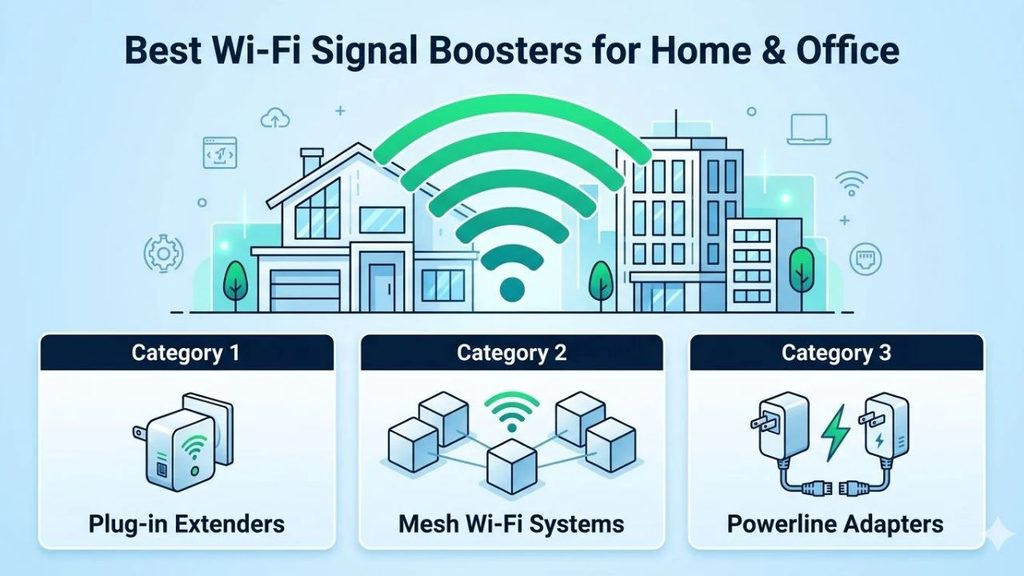
Here are six Wi-Fi extenders and mesh networking systems worth considering in 2026.
These selections cover different requirements, from fixing a single dead zone to providing wireless connectivity throughout a larger home or office.
1. New TP-Link RE715 X WiFi 6 AX 3000 Mbps Extender Booster
If you’re looking for a reliable Wi-Fi signal booster without investing in an entirely new mesh networking system, the TP-Link RE715X is an excellent option.
This model uses Wi-Fi 6 technology and offers combined theoretical wireless speeds of up to 3,000 Mbps across its 2.4 GHz and 5 GHz bands. It is designed to extend an existing wireless network into areas where your router struggles to provide sufficient coverage.
One of its biggest advantages is TP-Link EasyMesh compatibility. When paired with a compatible router, it can work as part of a unified mesh network, allowing devices to move between network points more conveniently.
The RE715X also includes a Gigabit Ethernet port, which is useful when connecting a desktop computer, smart television, or other wired device. You can configure the extender through the TP-Link Tether mobile app, making installation and network management easier for beginners.
Its external antennas and signal-strength indicators also help you find a suitable installation location.
Important features: AX3000 Wi-Fi 6, dual-band connectivity, EasyMesh compatibility, Gigabit Ethernet, Tether app support, and 160 MHz channel support.
| Limitation | Explanation |
| Router compatibility | Some EasyMesh features require a compatible router. |
| Dual-band design | It does not offer a dedicated third wireless band. |
| Placement | Performance depends on the signal received from the main router. |
| Price | It costs more than basic Wi-Fi 5 extenders. |
2. NETGEAR Nighthawk Wi-Fi 6 Mesh Range Extender
The NETGEAR Nighthawk EAX80 is a powerful Wi-Fi 6 range extender designed for users who need better wireless coverage and multiple device connections.
It uses dual-band Wi-Fi 6 technology with a combined theoretical speed rating of up to 6,000 Mbps. This makes it suitable for environments where several people regularly stream videos, attend online meetings, download large files, or use connected devices simultaneously.
One of its biggest advantages is its connectivity. The EAX80 provides four Gigabit Ethernet ports, allowing you to connect computers, gaming consoles, smart televisions, and other wired devices directly.
It also supports Smart Roaming, which helps compatible devices connect to the strongest available access point when moving around the building. Its Nighthawk application and browser-based management interface provide options for configuring and monitoring the extended network.
Another useful addition is its USB 3.0 port, which can support network storage functionality.
For a home office or a workspace with multiple wired devices, these connectivity options make the EAX80 particularly useful.
Important features: AX6000 Wi-Fi 6, dual-band connectivity, four Gigabit Ethernet ports, USB 3.0, Smart Roaming, and Nighthawk app support.
| Limitation | Explanation |
| Older Wi-Fi generation | It does not support Wi-Fi 7. |
| Router requirements | It performs best when paired with a capable Wi-Fi 6 router. |
| Physical size | Its desktop-style design requires more space than plug-in extenders. |
| Cost | It may be expensive for users who only need coverage in one small room. |
3. ASUS RP-AX58 Network transmitter White 10
The ASUS RP-AX58 is another interesting option if you want to improve Wi-Fi coverage without spending too much on an advanced networking system.
It supports dual-band Wi-Fi 6 connectivity with combined theoretical speeds of up to 3,000 Mbps. This gives it enough capacity for everyday activities such as browsing, video streaming, online classes, remote work, and general office use.
One of its most useful features is ASUS AiMesh compatibility. If you already have a compatible ASUS router, you can integrate the RP-AX58 into an AiMesh network. This helps create a more consistent wireless experience throughout your building.
It also supports multiple operating modes, including range extender and access point functionality. Its Ethernet connectivity allows you to connect compatible wired equipment or use a wired connection to improve network stability.
The ASUS Router application makes it easier to configure and manage the network. You can also use ASUS networking features to manage connected devices and adjust wireless settings.
For users who already own an ASUS router, this extender is particularly worth considering because of its ecosystem integration.
Important features: AX3000 Wi-Fi 6, dual-band connectivity, AiMesh support, Gigabit Ethernet, access point mode, and ASUS Router app.
| Limitation | Explanation |
| AiMesh dependency | Seamless AiMesh functionality requires compatible ASUS equipment. |
| No Wi-Fi 7 | It uses the older Wi-Fi 6 standard. |
| Coverage | Actual coverage depends on building layout and interference. |
| Advanced configuration | Some networking settings may confuse beginners. |
4. Asus RP-BE58 Wi-Fi 7
If you have recently upgraded your router or want to prepare your network for newer wireless devices, the ASUS RP-BE58 deserves your attention.
This extender supports Wi-Fi 7 technology, offering combined theoretical speeds of up to 3,600 Mbps. It operates on the 2.4 GHz and 5 GHz frequency bands and supports Multi-Link Operation (MLO) with compatible equipment.
MLO is particularly interesting because it allows supported devices to use multiple wireless links simultaneously, helping improve connection reliability and reduce latency.
Another advantage is its universal router compatibility. You can use it with compatible routers from different manufacturers in standard extender mode. ASUS router owners can also take advantage of AiMesh support for a more unified networking experience.
The device supports range extender, access point, and media bridge modes. Its Gigabit Ethernet port is useful for wired connections, while the ASUS Router and Extender applications simplify installation.
It is worth considering for users who want newer wireless technology without purchasing an expensive complete mesh system.
Important features: Wi-Fi 7, BE3600 speeds, Multi-Link Operation, AiMesh compatibility, Gigabit Ethernet, WPA3 security, and multiple operating modes.
| Limitation | Explanation |
| Dual-band only | It does not include a dedicated 6 GHz band. |
| Ethernet speed | Its wired port is limited to Gigabit Ethernet. |
| Wi-Fi 7 requirements | Some advanced features require compatible Wi-Fi 7 devices. |
| Premium pricing | It may cost more than conventional Wi-Fi 6 extenders. |
5. TP-Link Deco BE95 BE33000
The TP-Link Deco BE95 is different from a traditional plug-in Wi-Fi booster. It is a premium mesh Wi-Fi system designed to provide wireless coverage across larger buildings.
It uses quad-band Wi-Fi 7 technology, with combined theoretical wireless speeds of up to 33 Gbps across four frequency bands. These include two 6 GHz bands, one 5 GHz band, and one 2.4 GHz band.
One of its biggest advantages is Multi-Link Operation (MLO), which allows compatible devices to communicate over multiple wireless links. This can improve network performance and connection reliability.
The Deco BE95 also supports wireless and wired backhaul. Backhaul is the connection between mesh units. Using Ethernet backhaul can be particularly helpful in large offices or multi-story homes where wireless connections between nodes are less reliable.
It also provides 10 Gigabit Ethernet connectivity, making it suitable for demanding multi-gigabit network environments.
Through the Deco application, users can configure their network, manage connected devices, and access supported security and parental-control features through TP-Link HomeShield.
Important features: BE33000 Wi-Fi 7, quad-band connectivity, dual 6 GHz bands, MLO, 10 Gigabit Ethernet, wired backhaul, AI-driven roaming, and HomeShield.
| Limitation | Explanation |
| Expensive | It is a premium networking investment. |
| Larger setup | Multiple mesh units require suitable placement and configuration. |
| Advanced features | Full Wi-Fi 7 benefits require compatible client devices. |
| Subscription features | Some advanced HomeShield services require a paid subscription. |
6. eero 7 Dual-Band Mesh Wi-Fi 7 Router
The Amazon eero 7 is a compact Wi-Fi 7 networking device that can work as a primary router or as an additional node in an existing eero mesh network.
It offers dual-band Wi-Fi 7 connectivity with theoretical wireless speeds of up to 1.8 Gbps. Each unit is designed to cover up to 2,000 square feet under suitable conditions and support more than 100 connected devices.
One of its most useful features is Multi-Link Operation, which can improve connection reliability and reduce latency for compatible Wi-Fi 7 devices.
The eero 7 also includes two auto-sensing 2.5 Gigabit Ethernet ports. These ports provide flexibility for connecting a modem, wired computer, or other network equipment.
Another advantage is its straightforward installation process. You can configure and manage the network using the eero mobile application rather than dealing with complicated router settings.
It also supports Alexa integration, along with Zigbee, Thread, and Matter-compatible smart-home functionality.
For a household or small office that wants modern wireless connectivity without spending heavily on a premium quad-band system, eero 7 is a practical option.
Important features: Wi-Fi 7, BE5000 rating, 2.5 Gigabit Ethernet, MLO, up to 2,000 square feet of advertised coverage per unit, 100+ device support, and Alexa integration.
| Limitation | Explanation |
| Dual-band design | It does not have a dedicated 6 GHz band. |
| eero ecosystem | Additional mesh nodes work within the eero ecosystem. |
| App-based management | Users who prefer extensive browser-based configuration may find it restrictive. |
| Subscription | Some advanced security and network-management features require eero Plus. |
FAQs
1. Which is the best Wi-Fi signal booster for home use in 2026?
The TP-Link RE715X is a strong all-around option for extending an existing Wi-Fi network. For larger homes with widespread coverage problems, a mesh system such as the Deco BE95 may be more appropriate.
2. Do Wi-Fi boosters increase internet speed?
Not necessarily. A Wi-Fi booster primarily improves wireless coverage. It cannot increase the internet speed supplied by your internet service provider. Your actual speed also depends on the connection between the router and booster.
3. Where should I install a Wi-Fi signal booster?
Install it approximately halfway between your router and the area with weak reception. Make sure it receives a reasonably strong signal from the main router.
4. Are Wi-Fi extenders compatible with all routers?
Most standard Wi-Fi extenders support commonly used Wi-Fi standards and work with routers from different manufacturers. However, advanced features such as EasyMesh and AiMesh may require compatible equipment.
5. Is a mesh Wi-Fi system better than a traditional extender?
A mesh system is generally better for larger buildings with multiple dead zones because its nodes work together to provide more consistent coverage. A traditional extender is usually more affordable when you only need to fix one weak-signal area.
6. Is Wi-Fi 7 worth buying in 2026?
Yes, if you have compatible devices, a fast internet plan, and want to prepare your network for future upgrades. However, Wi-Fi 6 remains sufficient for many everyday home and office requirements.