
LG TV Universal Remote Codes [Guide]
Did you lose your original LG TV remote, or are some of its buttons no longer working? Before spending money on a replacement, you can try programming a universal remote control to operate your LG television. You just need a compatible remote, the correct setup code, and a few minutes to configure everything.
The tricky part is finding the right code. Different universal remote brands, including GE, RCA, Philips, One For All, and cable provider remotes, use different code lists. Even two remotes from the same brand may require different codes depending on their model or generation.
In this guide, you’ll find LG TV universal remote codes organized by category and remote brand, along with step-by-step instructions for programming your remote.
One important thing to remember is that there is no single universal remote code that works with every remote control and every LG TV.
The codes below are starting points to check against your remote’s specific manual. Always use the code list for your exact remote model whenever possible.
LG TV Universal Remote Codes
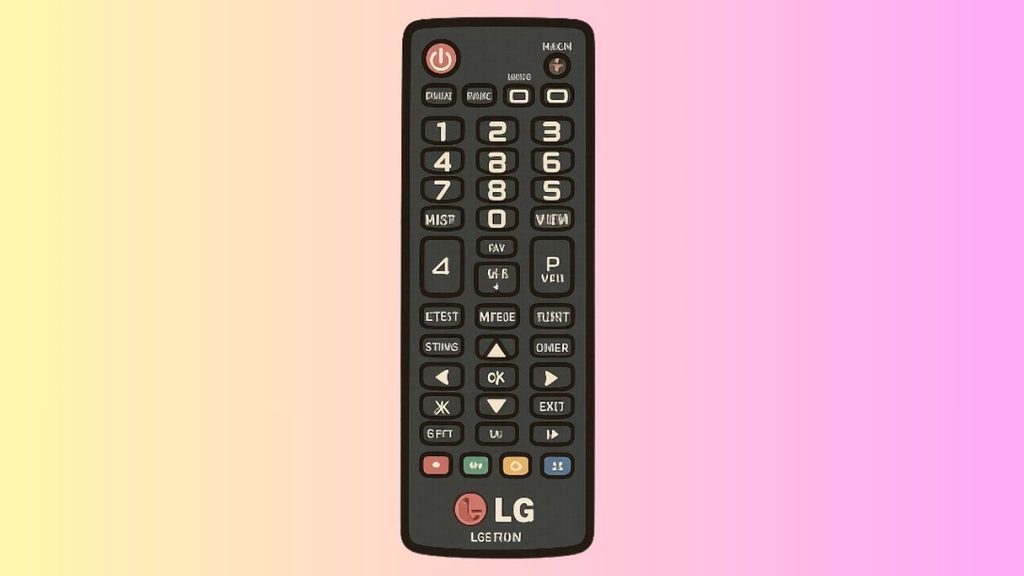
The following tables cover commonly reported codes for different universal remote brands. Code compatibility can vary by model, code-library version, and region, so treat these as codes to try rather than a guarantee that every entry will work.
1. GE Universal Remote Codes for LG TV
GE universal remotes use code lists that can vary by generation. Some models identify their code-library version inside the battery compartment.
| Remote category | LG TV codes to try |
| GE universal remote | 0004, 0050, 0009, 0005 |
| GE alternate codes | 0012, 0178, 0227, 0057 |
| GE additional codes | 0080, 0156, 0338 |
Start with the codes listed for your GE remote’s generation. If the first code does not work, enter the next one and test the remote again.
2. RCA Universal Remote Codes for LG TV
RCA remotes can use three-digit, four-digit, or five-digit codes, depending on the model.
| Code category | LG TV codes to try |
| Three-digit codes | 005, 004, 082 |
| Four-digit codes | 0004, 0178, 0856, 1756 |
| Additional four-digit codes | 1423, 2434, 2358, 0017 |
| Five-digit codes | 11758, 12731, 11423, 12049 |
| Additional five-digit codes | 10885, 10178, 10017, 11265 |
Check your RCA remote’s code list before programming it, because not every model supports all these code formats.
3. Philips Universal Remote Codes for LG TV
Philips universal remotes also use different code lists depending on the model. You should consult the manual or the official Philips code finder for your specific remote.
| Code category | LG TV codes to try |
| Three-digit code | 083 |
| Four-digit codes | 0001, 5501, 5511, 3001 |
| Additional four-digit codes | 1181, 1741, 1221, 3021 |
| Five-digit codes | 19851, 12846, 11764, 10005 |
These codes are not interchangeable across every Philips remote. If none works, locate your model number and use the appropriate manufacturer’s code list.
4. One For All Universal Remote Codes for LG TV
One For All offers several types of universal remotes, and the setup procedure depends on the model. Some newer replacement remotes are designed specifically for LG televisions and may not require manual numeric code entry.
| Remote category | Recommended setup method |
| One For All multi-device remote | Use the setup code finder for your model |
| One For All LG replacement remote | Follow the model-specific instructions |
| One For All remote with an app | Use the supported setup app if available |
For accurate codes, visit the official One For All universal remote support page and search for your remote’s model number. The company provides model-specific setup information and manuals.
5. Cable and Satellite Universal Remote Codes for LG TV
Cable and satellite remotes may use different code formats from standard universal remotes. The available codes also depend on the provider and remote model.
| Remote category | Codes to check |
| Comcast or Xfinity | 0178, 1756, 0056 |
| DIRECTV | 11423, 11758, 10706 |
| Dish Network | Check the remote’s LG TV code list |
| Spectrum | Check the code list for your remote model |
| U-verse | Check the model-specific setup guide |
The codes shown in this table are starting points, not verified matches for every provider remote. If your remote rejects them, use the code finder or programming guide supplied by your cable or satellite provider.
6. Universal Remote Codes by Number of Digits
If you already have a list of codes, this table helps you understand which format to look for.
| Code format | Examples |
| Three-digit | 004, 005, 082, 083 |
| Four-digit | 0004, 0050, 0178, 1756 |
| Five-digit | 10017, 10178, 11758, 12731 |
Important: The number of digits alone does not determine compatibility. Your remote’s manufacturer and model decide which codes it accepts. Do not add or remove digits unless the remote’s instructions specifically tell you to do so.
How to Program a Universal Remote to an LG TV
Once you have a suitable code, follow these steps to connect your universal remote to your LG television.
Step 1: Turn On Your LG TV
Turn on your LG television using its physical power button if the original remote is unavailable. Keep the universal remote pointed toward the TV while programming it.
Make sure the remote has working batteries. Weak batteries can cause the indicator light to flash without sending commands reliably.
Step 2: Enter TV Setup Mode
Look for a button labeled Setup, Program, or Code Search. The exact button depends on your remote.
On many models, you need to press and hold Setup until an indicator light stays on. Other remotes require you to press the TV device button first. Follow your remote’s manual if the sequence differs.
Step 3: Select the TV Device
If your remote has device buttons such as TV, DVD, AUX, or Cable, press TV to select the television as the device you want to control.
This step matters because the remote may store different codes for different devices.
Step 4: Enter the LG TV Code
Enter one of the compatible codes listed in your remote’s manual. Watch the indicator light for confirmation. Some remotes flash or turn off when the code is accepted, while others use a different signal.
If the code is rejected or the TV does not respond, repeat the process with the next supported code.
Step 5: Test the Remote
Press Power, Volume Up, Volume Down, and Mute. If these buttons work, the setup may be successful.
Also test the Input button and navigation controls if your remote supports them. Some universal remotes only provide basic functions, so not every original LG remote feature will necessarily work.
Step 6: Try Automatic Code Search
If none of the listed codes works, your remote may offer an automatic code search feature. Enter the TV programming mode and follow the remote’s instructions to cycle through compatible codes.
When the television responds, follow the manual’s instructions to save the code. Avoid holding buttons or cycling through codes without checking the instructions, because the procedure varies by model.
FAQs
1. What is the most common universal remote code for an LG TV?
Codes such as 0004, 0050, 0178, and 1756 appear in some universal remote code lists for LG televisions. However, the correct code depends on your remote’s brand, model, and code-library version. Try the codes specified in your remote’s manual first.
2. How do I find the model number of my universal remote?
Check the back of the remote, the label inside the battery compartment, or the original packaging. Write down the complete model number before searching for codes. This helps you avoid using instructions intended for a different remote.
3. Why is my universal remote not working with my LG TV?
The code may be incorrect, the batteries may be weak, or the remote may not support your TV model. Replace the batteries, verify that the TV device mode is selected, and try another compatible code. Also, make sure nothing blocks the remote’s infrared signal.
4. Can I program an LG TV universal remote without a code?
Yes, if your universal remote supports automatic code search. Follow its instructions to scan available TV codes and save the one that works. Some remotes also support app-based configuration or other setup methods.
5. Will a universal remote work with an LG Smart TV?
Many universal remotes can control basic functions on LG Smart TVs, including power, volume, and input selection. However, advanced functions such as voice control, pointer navigation, and certain smart features may require a compatible LG Magic Remote or another supported controller.
6. Do LG Magic Remotes use universal remote codes?
Pairing an LG Magic Remote with its compatible LG TV generally does not require entering a universal remote code. For many models, you turn on the TV, point the remote toward it, and press the Wheel (OK) button to register it. The precise procedure depends on the remote and TV model. <Cite refs={[“turn243629search17”]}/>
7. Can one universal remote control an LG TV and a soundbar?
Yes, if the remote supports multiple devices and provides compatible codes for both. Program the TV and soundbar separately using their respective device modes. You may need to configure volume control separately, depending on your remote.
8. Where can I find the official LG TV remote codes?
Start with the manufacturer’s support page for your universal remote. For example, Philips offers an official code finder, while One For All provides model-specific support and manuals. <Cite refs={[“turn243629search10″,”turn243629search0”]}/> You can also consult your cable provider’s documentation if you’re using a provider-issued remote.
Summary
Finding the right LG TV universal remote code can help you get your television working without buying an original replacement remote. Codes vary by manufacturer and remote model, so there is no single number that works with every universal remote.
Start by identifying your remote’s exact model, check the appropriate code list, and enter a compatible code using the manufacturer’s programming instructions. Test the power, volume, mute, and input buttons to confirm that the setup works.
If manual programming fails, try automatic code search if your remote supports it. For the most accurate results, use the official support resources for your remote brand.
With the right code and setup procedure, you can often restore basic control of your LG TV in just a few minutes.