
Why Do Some USB Hubs Have Auxiliary Power?
Have you ever plugged a USB hub into your computer and noticed an extra power port on the side? You might have wondered why the hub needs another power connection when it already receives power through the USB cable connected to your PC.
The answer is simple. Some USB hubs need additional power to operate multiple connected devices reliably. A computer’s USB port can supply only a limited amount of electrical power. When you connect several devices to a single hub, their combined power requirements may exceed what the computer can provide.
This is where auxiliary power comes in.
An externally powered USB hub uses a separate power adapter to provide additional electricity to connected devices. This helps the hub operate devices that require more power, reduces the risk of power-related connection problems, and makes it possible to connect multiple accessories without overloading the computer’s USB port.
In this guide, we will explain why some USB hubs have auxiliary power, how it works, when you need it, and how to choose the right powered USB hub for your computer.
USB Hubs: Explanation
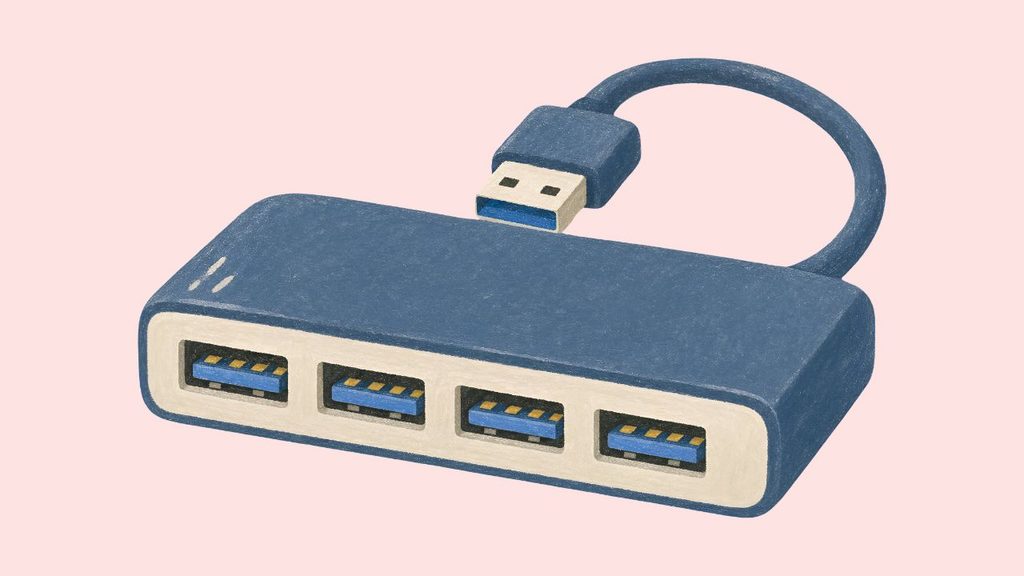
A USB hub allows you to connect multiple USB devices to a single USB port on your computer. However, not every USB hub has its own power supply.
To understand why some hubs require auxiliary power, let’s look at how USB power works and what happens when you connect multiple devices.
How a USB Hub Gets Power
A USB hub is a small device that expands the number of USB ports available on your computer.
For example, suppose your laptop has only two USB ports, but you want to connect a keyboard, mouse, printer, external hard drive, and USB flash drive.
Instead of repeatedly unplugging devices, you can connect a USB hub to your laptop and use its additional ports.
However, the hub needs electricity to operate. It receives power in one of two ways.
A bus-powered USB hub gets its electricity directly from the computer’s USB port. It does not require a separate power adapter.
A self-powered USB hub uses an external power adapter to supply electricity to the hub and its connected devices.
Some hubs support both options, allowing you to connect an external power supply when additional power is required.
Why USB Ports Have Power Limits
Your computer’s USB port cannot provide unlimited electrical power.
Every USB device connected to the port requires a certain amount of electricity to operate. A keyboard or mouse usually needs very little power, while an external hard drive, webcam, or other demanding accessory may require considerably more.
For example, imagine connecting four devices to a bus-powered USB hub.
Your keyboard requires a small amount of power. Your mouse also requires very little. However, your external hard drive may need substantially more power, especially when starting up.
If the combined power requirements exceed what the computer’s USB port can provide, the hub may not operate reliably.
Auxiliary power helps overcome this limitation by supplying additional electricity from an external source.
The exact amount of power available depends on the USB standard, the computer’s port, the hub’s design, and any applicable power-sharing restrictions.
How Auxiliary Power Works
Auxiliary power is an additional power source that helps a USB hub operate connected devices.
A typical externally powered USB hub includes a USB cable for connecting it to the computer and a separate power input for connecting an adapter.
The computer’s USB connection handles communication between the hub and the connected devices. The external power adapter supplies additional electrical power.
When you connect the adapter, the hub can distribute power to its downstream ports within its supported limits.
This is especially useful when several devices are connected simultaneously.
For example, you could connect a webcam, an external SSD, a USB microphone, and a keyboard to a powered hub. The external adapter helps provide enough power for the devices to operate without relying entirely on the computer’s USB port.
However, auxiliary power does not automatically increase data transfer speed. The hub’s data speed still depends on its USB standard, the connected devices, and the computer’s USB port.
Identify Devices That May Need Auxiliary Power
Not every USB device requires an externally powered hub.
A keyboard, mouse, USB flash drive, or basic wireless receiver generally uses relatively little power. These devices can often work perfectly well with a bus-powered hub.
However, some devices may require more power than a typical bus-powered hub can provide.
An external hard drive is a common example. Some portable drives draw additional power when their motors start spinning.
A webcam may also require more power when using high-resolution video, additional lighting, or other features.
USB audio interfaces, capture devices, and certain other accessories may also have higher power requirements.
If you plan to connect several demanding devices to one hub, a powered USB hub is generally a better choice.
Before purchasing one, check the power requirements of your devices and compare them with the hub’s specifications.
Prevent USB Devices From Disconnecting Unexpectedly
One common reason to use auxiliary power is to improve connection stability.
When a bus-powered hub cannot provide enough electricity to connected devices, you may experience unexpected disconnections or other power-related problems.
For example, an external hard drive might disconnect when it begins transferring a large amount of data. A webcam may stop working when you connect another accessory. Some USB devices may repeatedly connect and disconnect.
These problems can occur when the hub’s available power is insufficient, although faulty cables, drivers, or hardware can also cause similar symptoms.
Using a powered USB hub can help resolve problems caused by insufficient power.
Important: If your USB devices continue disconnecting after connecting an appropriate power adapter, check the USB cable, hub compatibility, computer port, and device drivers.
Difference Between a Powered and an Unpowered USB Hub
The main difference between these hubs is how they receive electricity.
A bus-powered hub relies on the computer’s USB port. It is usually smaller, easier to carry, and does not require a separate power adapter.
A self-powered hub uses an external adapter. It is generally more suitable for connecting multiple devices that require additional power.
For everyday accessories such as a keyboard, mouse, and flash drive, an unpowered hub may be sufficient.
For external hard drives, webcams, audio equipment, and multiple power-hungry accessories, a powered hub is often the better option.
Neither type is automatically faster. A hub’s data transfer speed depends on its USB specification, not simply whether it has auxiliary power.
Choose the Right Auxiliary Power Supply
If you are purchasing a powered USB hub, pay attention to its power adapter specifications.
First, check the hub’s required input voltage and current. The adapter must match the manufacturer’s requirements.
Second, consider the total power available to the connected USB devices. A hub with more ports does not necessarily provide enough power for every port to operate at its maximum capacity simultaneously.
Third, check whether the hub supports the USB standard required by your devices. A USB 3.0 hub, for example, may provide faster data transfer than an older USB 2.0 hub, but its power capabilities still depend on its design and specifications.
Finally, use the original adapter or a compatible replacement recommended by the manufacturer.
Do not connect an adapter with an incorrect voltage or incompatible connector. Doing so may damage the hub or connected equipment.
Connect and Use a Powered USB Hub Correctly
Once you have selected a suitable powered USB hub, connect it properly.
Step 1: Place the hub on a stable surface near your computer.
Step 2: Connect the hub’s USB cable to an available USB port on your computer.
Step 3: Connect the supplied power adapter to the hub’s auxiliary power input.
Step 4: Plug the adapter into a suitable electrical outlet and switch it on if necessary.
Step 5: Connect your USB devices to the hub.
Step 6: Check whether your computer recognizes the connected devices.
If a device does not work, disconnect it and check the hub’s power requirements. Make sure the adapter is connected correctly and that the hub supports the device.
If necessary, connect a high-power device directly to the computer to determine whether the hub is causing the problem.
FAQs
1. Do all USB hubs need auxiliary power?
No. Many USB hubs receive power directly from the computer and work without an external adapter. Auxiliary power is mainly useful when connecting multiple devices or accessories with higher power requirements.
2. Can I use a USB hub without its power adapter?
Yes, if the hub supports bus-powered operation. However, some powered hubs may not operate correctly without their external adapter, especially when several devices are connected.
3. Does auxiliary power make a USB hub faster?
No. Auxiliary power helps supply electricity to connected devices. It does not automatically increase data transfer speeds. Data speed depends on the USB standard supported by the hub, computer, and connected devices.
4. Can a powered USB hub charge my phone?
Some powered USB hubs support charging, but not all of them provide dedicated charging capabilities. Check the manufacturer’s specifications for charging support, output current, and any USB Power Delivery features.
5. Why does my external hard drive disconnect from my USB hub?
Insufficient power is one possible reason. A powered USB hub may resolve the problem if the drive requires more electricity than the computer’s USB port can provide. However, faulty cables, incompatible ports, and drive problems can also cause disconnections.
6. Is a powered USB hub better than an unpowered hub?
A powered USB hub is generally better when you need to connect multiple devices with higher power requirements. An unpowered hub is often sufficient for low-power accessories and offers greater portability.
7. Can I connect a powered USB hub to another USB hub?
Some USB configurations support connecting one hub to another, but the arrangement must comply with USB specifications and power requirements. For reliable operation, connect demanding devices directly to a suitable powered hub whenever possible.