
Why Does It Say No Posts Available on Someone’s Facebook?
Have you opened someone’s Facebook profile only to see the message “No Posts Available” instead of their timeline? At first, it may seem like Facebook is experiencing a problem, but in most cases, the message appears because of privacy settings, account changes, or restrictions placed on the profile you’re trying to view.
Seeing “No Posts Available” does not always mean the person has blocked you. There are several possible reasons behind this message, and many of them are completely normal.
In this guide, you’ll learn why Facebook displays this notification, how to determine the real cause, and what you can do if you believe it is happening because of a technical issue.
Why Does It Say No Posts Available on Someone’s Facebook?
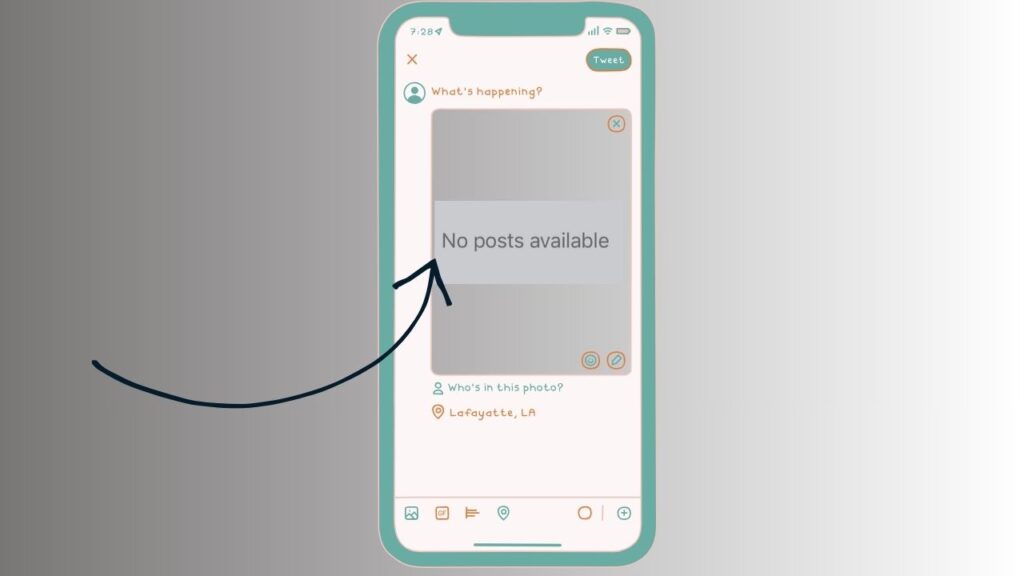
Facebook only shows posts that you’re allowed to see. If there are no posts available to your account, the platform displays the “No Posts Available” message.
Below are the most common reasons this happens.
The Person Changed Their Privacy Settings
The most common reason is that the person has updated their privacy settings. Facebook allows users to decide exactly who can see their posts.
For example, someone may choose to share their posts with Friends only instead of Public. If you are not on their friends list, Facebook will hide those posts from you. Similarly, they may have selected a custom audience that excludes your account.
This is normal behavior and does not indicate that anything is wrong with Facebook.
They Deleted All Their Posts
Some Facebook users prefer to clear their timelines for privacy reasons. They may manually delete every post or use Facebook’s Manage Activity feature to remove years of content.
If all public and visible posts have been deleted, you’ll only see profile information, if available, along with the “No Posts Available” message.
This situation is becoming more common as people choose to clean up their social media presence.
Their Facebook Account Has Been Deactivated
If someone temporarily deactivates their Facebook account, their profile becomes unavailable to other users.
Depending on how Facebook caches profile information, you may still find their profile through older conversations or searches, but their timeline will no longer display any posts.
If they reactivate their account later, their posts usually become visible again according to their privacy settings.
Their Account Was Deleted
Unlike deactivation, deleting a Facebook account is permanent after Facebook’s waiting period expires.
Once an account is permanently deleted, posts, photos, and profile information disappear from Facebook. If cached profile data remains temporarily visible, you may encounter the “No Posts Available” message before the profile disappears completely.
You Have Been Blocked
Being blocked is another possible reason, although it is not always the explanation.
When someone blocks you on Facebook, several things typically happen. Their profile becomes difficult or impossible to find, their posts disappear, previous interactions become limited, and you cannot send them friend requests or messages in most cases.
If you notice several of these signs together, blocking becomes a stronger possibility. However, Facebook does not notify users when they have been blocked.
You Were Removed as a Friend
Someone may simply remove you from their friends list without blocking you.
If their posts are shared only with friends, removing you means you no longer have permission to view their timeline. As a result, Facebook may display “No Posts Available” even though the person continues posting regularly.
If you can still view their profile and send a friend request, this is a likely explanation.
Their Posts Are Shared With a Custom Audience
Facebook allows users to create custom audiences for individual posts.
For example, someone can share updates with family members, coworkers, or close friends while excluding certain people.
If every visible post has been restricted to audiences that do not include your account, Facebook will have nothing to display on the timeline.
Facebook Is Experiencing a Temporary Glitch
Occasionally, the problem is caused by Facebook itself.
Temporary server issues, synchronization delays, or software bugs can prevent posts from loading correctly. During these situations, Facebook may incorrectly display “No Posts Available.”
If the issue affects multiple profiles or disappears after some time, it was likely a temporary platform problem.
Refreshing the page or checking again later often resolves the issue.
Your Facebook App Needs an Update
Using an outdated version of the Facebook app can sometimes lead to loading issues.
Older versions may have compatibility problems that prevent timelines from displaying properly.
Updating the app from your device’s app store often fixes unexpected errors and improves overall performance.
Your Internet Connection Is Unstable
Facebook requires a stable internet connection to load profile information.
If your connection becomes slow or unstable while opening someone’s profile, posts may fail to load completely.
Try switching between Wi-Fi and mobile data, then reload the profile to see whether the timeline appears.
Facebook’s Cache Is Causing Problems
The Facebook app stores temporary files, known as cache, to improve loading speed.
Over time, these cached files can become outdated or corrupted, causing profile pages to display incorrect information.
Clearing the app cache on Android or reinstalling the app on iPhone can often resolve display issues related to cached data.
The Person Has No Visible Posts Yet
Sometimes the explanation is surprisingly simple.
A new Facebook account may not contain any posts yet. Similarly, someone might have removed older posts and simply not published anything new.
If there are genuinely no posts available for your viewing permissions, Facebook displays the message exactly as intended.
How to Confirm the Real Reason
If you’re trying to understand why you’re seeing “No Posts Available,” compare what you see with another Facebook account that has permission to view the profile.
If another account can view the person’s timeline while yours cannot, the issue is likely related to your account’s permissions, friendship status, or privacy restrictions.
If neither account can view any posts, the account may have been deleted, deactivated, or cleared of visible content.
Checking after a few hours is also worthwhile because temporary Facebook issues often resolve on their own.
Can You Fix the Problem?
Whether you can fix the issue depends on its cause.
If it’s caused by Facebook, updating the app, clearing cached data, restarting your device, or waiting for Facebook’s servers to recover may solve the problem.
If the issue is related to someone else’s privacy settings, deleted posts, or blocking, there is nothing you can do from your account. Facebook respects each user’s privacy choices, and those restrictions cannot be bypassed.
If you believe the problem is temporary, signing out of Facebook, signing back in, and reopening the profile can also help eliminate account synchronization issues.
FAQs
Does No Posts Available mean I was blocked?
Not necessarily. While blocking is one possible reason, the message can also appear because of privacy settings, deleted posts, account deactivation, or temporary Facebook issues.
Can someone hide their posts without blocking me?
Yes. Facebook allows users to limit posts to friends, custom audiences, or selected individuals without blocking anyone.
Why can my friend see the posts but I cannot?
This usually means your account does not have permission to view those posts. You may have been removed as a friend, excluded from a custom audience, or restricted by the person’s privacy settings.
Does deleting Facebook posts cause this message?
Yes. If someone deletes all posts that are visible to you, Facebook may display “No Posts Available” because there is nothing left for your account to view.
Can an outdated Facebook app cause this problem?
Yes. An outdated app can sometimes fail to load timelines correctly. Updating the app and restarting it may resolve the issue.
Will reinstalling Facebook restore missing posts?
Reinstalling the app can fix problems caused by corrupted app files or cache, but it will not restore posts that are hidden because of privacy settings or account restrictions.
Summary
Seeing “No Posts Available” on someone’s Facebook profile can be confusing, but it usually has a simple explanation. The message often appears because of privacy settings, friendship changes, deleted posts, account deactivation, or temporary Facebook glitches. While many users immediately assume they have been blocked, that is only one of several possible reasons.
If the issue appears on multiple profiles, try updating the Facebook app, checking your internet connection, or waiting for Facebook to resolve any temporary server problems. However, if the message is caused by another person’s privacy choices, there is no way to bypass those settings.
Understanding these possibilities can help you determine the most likely cause without jumping to conclusions.